Recommended$9
Official ready-to-install app
For people who simply want Mac Input Lock to work.
- Signed and notarized by the developer
- Universal Apple Silicon and Intel build
- Updates to the official build included
- Use on all Macs in your household
Temporarily disable every keyboard, mouse, and trackpad on your Mac—without interrupting a video call, movie, song, camera, or microphone.
One-time purchase · Household use · macOS 14 or later · Apple Silicon and Intel
Open source, with a convenient official build
The complete source is free. The $9 official download is signed, notarized, tested, and ready to drag into Applications.
For people who simply want Mac Input Lock to work.
Every line remains public under the MIT license.
You are paying for the official build and continued maintenance—not for access to the source code.
Looking for Guided Access?
Keep a toddler from clicking away from a video, ending a family call, changing the volume, or typing into another app—all while the screen, sound, camera, and microphone keep working.
One job. Done well.
No accounts, modes, or complicated setup. You choose the keys that unlock your Mac.
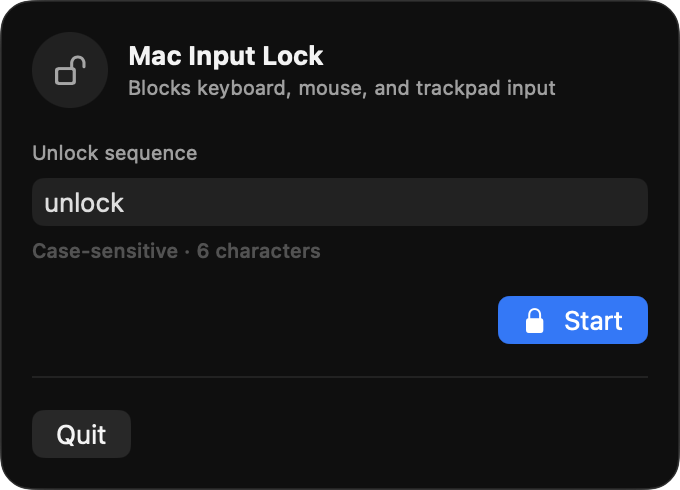
Use any case-sensitive key sequence with one or more visible characters. It is a convenience, not a password.
A clear five-second countdown gives you time to prepare before all pointer and keyboard input is blocked.
Enter the exact unlock sequence. Every keyboard, mouse, and trackpad becomes responsive again.
Instant one-hand shortcut
Press Control–Option–Command–D anywhere to lock immediately without the countdown. All four keys fit under your left hand. Press the same shortcut while locked to restore input instantly; your unlock sequence still works too.
What gets locked
Built-in and external keyboards become inert.
Clicks, scrolling, dragging, and gestures are blocked.
Calls, video, music, camera, and microphone continue.
Transparent by design
Mac Input Lock has no analytics, accounts, network access, background service, advertising, or telemetry. It remembers only enough recent characters to recognize your unlock sequence.
Read the permission explanation →Apple notarizedVerified before every release
Minimal permissionAccessibility only, to suppress input
Open sourceEvery line is public under MIT
Offline foreverNo network connection, ever
Know before you lock
Test your unlock sequence before handing the Mac to a child. While locked, ordinary Force Quit controls are not practical because local input is intentionally blocked.
If the unlock sequence does not work, hold the physical power or Touch ID button until the Mac turns off, then restart. Unsaved work may be lost. The app will not automatically relock after restart.
Read the complete safety notes →
Open source, offline, and built to do exactly one thing.
Get the official app — $9 Or build it yourself for free →